Connect your domain on Cloudflare in a few clicks
Set up a sending domain in a few clicks with Domain Connect, available for domains using Cloudflare DNS. Authorize once and Prontuno creates the required DNS records automatically. No manual copying.
If your domain uses Cloudflare DNS, you can now set up a sending domain with Domain Connect. Authorize once and Prontuno automatically creates the required DNS records. No manual copying.
How it Works
Prontuno automatically detects when your domain uses Cloudflare. Open your domain, select DNS Records, then click Add DNS records with Cloudflare.
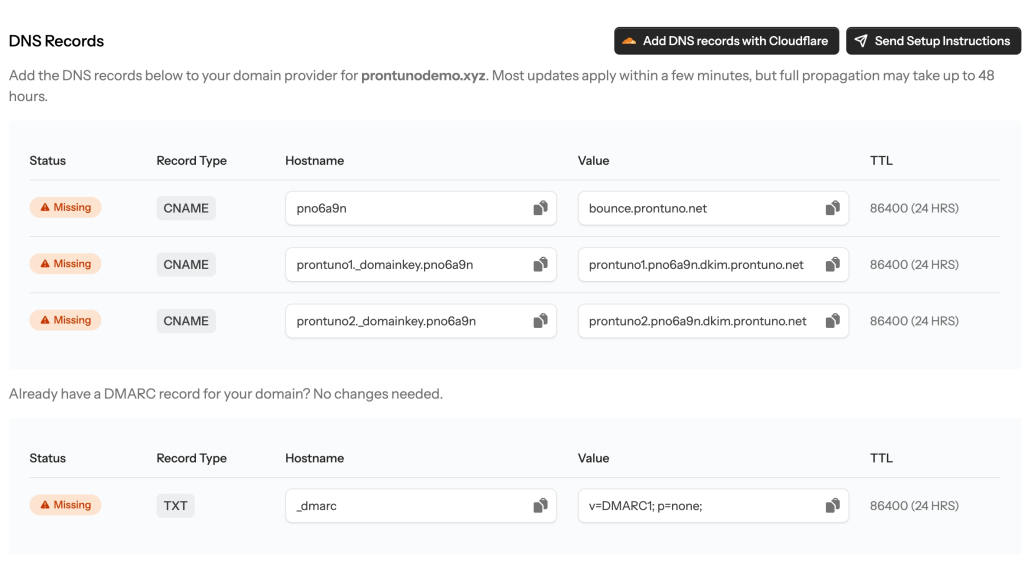
You’ll be redirected to Cloudflare to review and approve the required Prontuno DNS records for your return-path and DKIM, plus DMARC when needed. No records are added to your zone until you approve them.
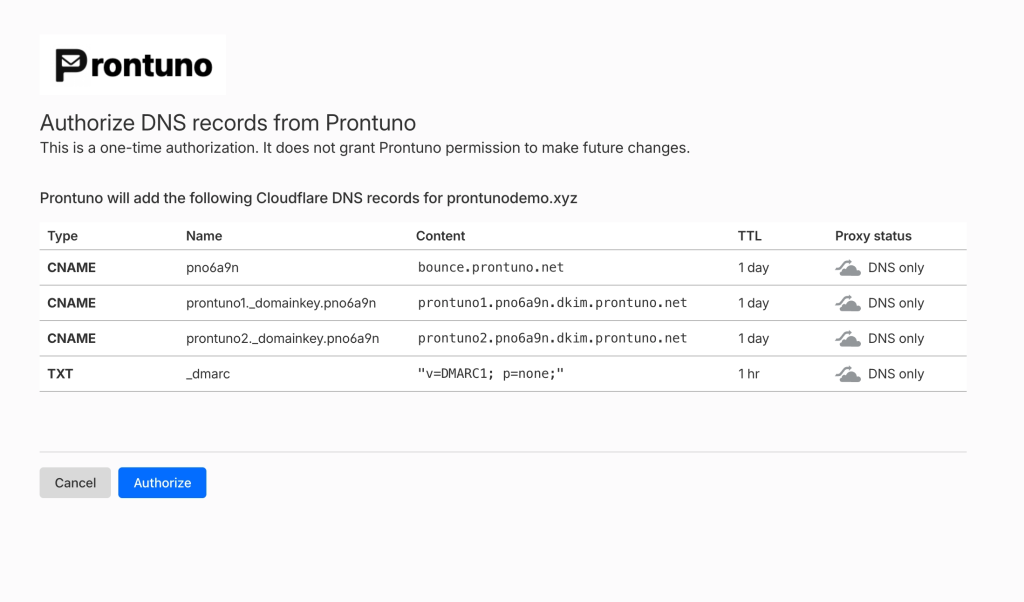
Once approved, you’ll return to Prontuno, where we’ll recheck the records and display their verification status.
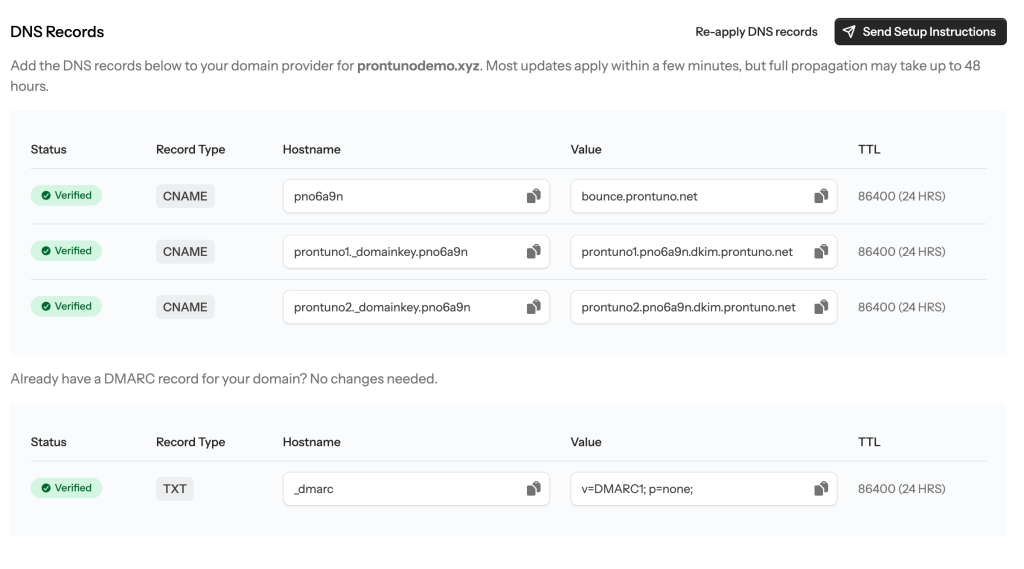
Records apply immediately, though a previously cached lookup may take a few minutes to expire.
Fix incomplete setups
Domain Connect also works with partially configured domains. Click Re-apply DNS records to add or correct any missing Prontuno records.
Verified domains can re-apply their records after a confirmation step if needed.