You’ve configured your sending domain, added your DNS records, and sent a test message. Now you need to know whether everything is working.
Did the message pass SPF and DKIM? Does DMARC align with the domain in your From address? Which server actually delivered it?
We’re introducing InspectEmail, a free email inspection tool by Prontuno that helps you answer those questions. Send an email to a generated test address and get a report covering authentication, sending infrastructure, headers, and delivery details. No signup required.
Start with an actual email
Checking your DNS records is a useful first step. Sending a message lets you see how that configuration applies to the email your application or provider actually produces.
A domain might have an SPF record, but the server sending your message might not be authorized by it. A message might carry a valid DKIM signature, but use a signing domain that doesn’t align with your From address.
InspectEmail brings that evidence together so you can investigate the message you sent.
- Open InspectEmail and copy your generated test address.
- Send a message from the application, email provider, or SMTP setup you want to check.
- Select the received message and open its report.
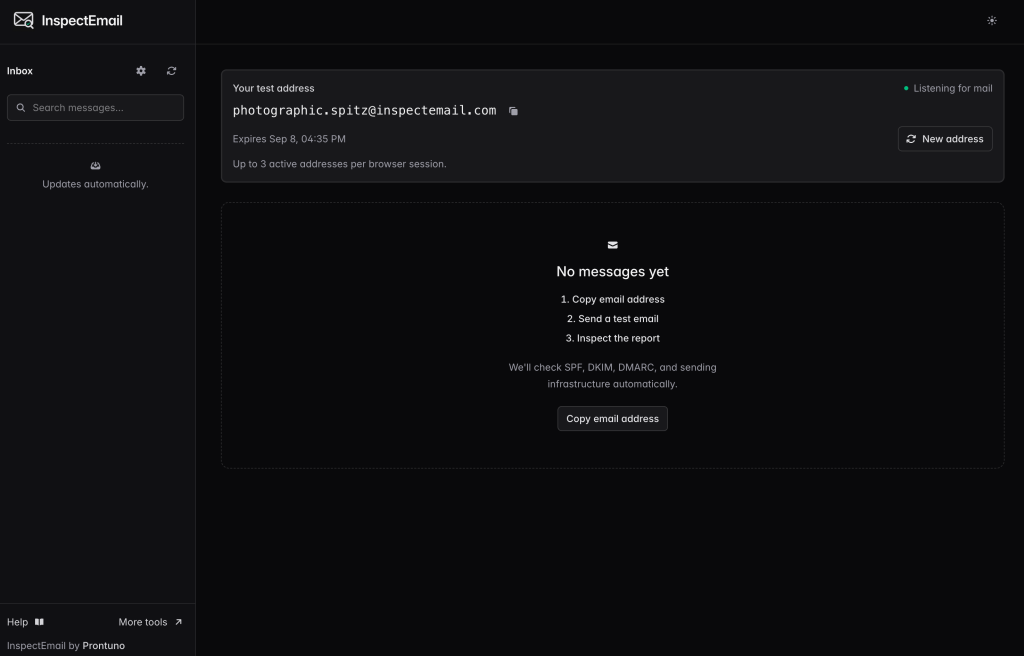
For a useful test, send through the same setup you use for real messages. If you’re checking password resets, trigger a password reset email from your application.
Understand your authentication results
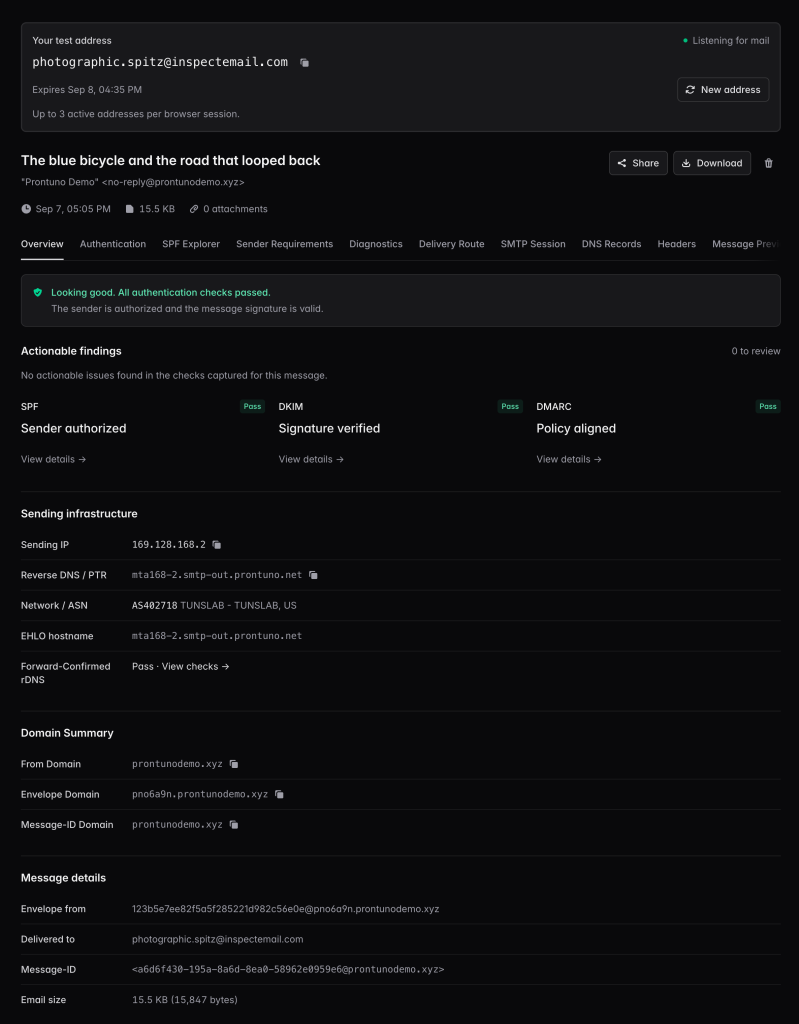
InspectEmail checks SPF, DKIM, and DMARC and shows the evidence behind the results.
You can inspect the sending IP, the domains involved, DKIM signatures, and the DNS answers used during verification. When a message has multiple DKIM signatures, you can review each signature separately.
For more complicated SPF configurations, the SPF Explorer helps you follow include and redirect chains, inspect lookup usage, and see which mechanism matched the sending IP.
The report also surfaces findings with supporting evidence and suggested fixes, giving you a starting point when something needs attention.
Look beyond authentication
Sometimes the next clue is in the delivery details or the message itself.
InspectEmail lets you examine the connecting server’s IP address, reverse DNS, and network information. You can review the recorded SMTP conversation and available TLS details to understand the connection to InspectEmail.
You can also inspect message headers, view plain-text and HTML content, check attachment metadata, and download the original email as an .eml file for further investigation.
That makes it useful when you’re setting up a sending domain, switching providers, troubleshooting an application, or checking a change to your email configuration.
Share the evidence
Email troubleshooting often involves another person: a developer, a colleague, or your provider’s support team.
InspectEmail lets you create a shareable report link with an expiration and controls for hiding message content and recipient details. You can give someone the evidence they need to investigate without manually assembling screenshots and copied headers.
A practical companion to sending email
At Prontuno, we provide email infrastructure for transactional senders. InspectEmail adds a way to examine what arrives at the receiving end, whether you send through Prontuno or another provider.
Sending through Prontuno? Emails sent to InspectEmail test addresses are free. You won’t be charged for those sends.
Passing authentication doesn’t guarantee inbox placement. It does help you verify an important part of your sending setup and identify configuration issues before you send more email.